
1
Log in to Your Account
Access your Lotus365 account via the login page, the Lotus365 App, or a mobile browser. Ensure your login credentials are current before proceeding.
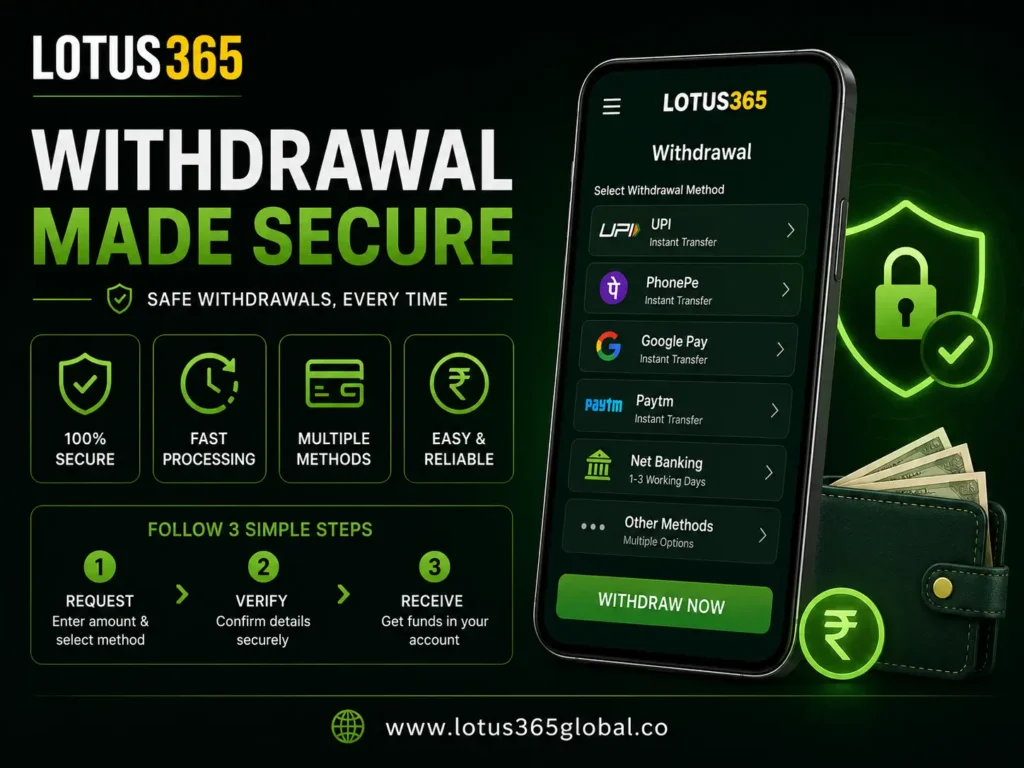
The Lotus365 withdrawal process is designed to transfer verified account balances to a user’s preferred payment method with minimal steps. This guide covers supported withdrawal methods, processing times, verification requirements, limits, and solutions to common issues — providing Indian users with a complete reference for managing withdrawals on the platform.
To begin a withdrawal, log in to your Lotus365 account and navigate to the Payments section.
The following table provides a quick reference for the most frequently checked withdrawal details.
| Detail | Information |
|---|---|
| Minimum Withdrawal | ₹300 |
| Fastest Processing Time | 2–5 minutes (UPI) |
| Supported Methods | UPI, PhonePe, Google Pay, Paytm, Net Banking, Bank Transfer |
| KYC Required | Yes, prior to first withdrawal — complete verification |
| Platform Availability | Android App, Mobile Browser, Desktop |
| Support | Contact Us |
The Lotus365 withdrawal process follows a structured sequence that moves from request submission through verification and payment dispatch to fund delivery. Understanding each stage helps users anticipate timelines and avoid avoidable delays.
The user submits a withdrawal request through the Payments section of their account. The request includes the withdrawal amount and the selected payment method.
The platform confirms that KYC verification has been completed and that the account details match the registered payment information. Requests from unverified accounts are held until verification is completed.
Lotus365 reviews and approves the withdrawal request. During this stage, the requested amount is deducted from the user's available balance.
The funds are dispatched to the selected payment method. Dispatch timelines vary by method, with UPI transfers completing most rapidly.
Funds arrive in the user's payment account. Delivery confirmation depends on the payment provider's processing speed.
Lotus365 supports six withdrawal methods, each suited to different user preferences and timelines. All methods require a minimum withdrawal of ₹300 and a verified account.

UPI withdrawals are processed directly to the user's UPI-linked bank account. This method is generally the fastest available, with most transfers completing within 2–5 minutes of approval. Users should ensure their UPI ID is correctly registered in their account settings before submitting a request.

PhonePe withdrawals are processed through the user's registered PhonePe account. The method operates through the UPI network, and processing times are comparable to standard UPI transfers.

Google Pay withdrawals follow the same UPI-based process as PhonePe. Funds are transferred to the bank account linked to the user's Google Pay profile.

Paytm withdrawals are sent to the user's registered Paytm wallet or linked bank account, depending on account configuration. Users should confirm their Paytm details are current before requesting a withdrawal.

Net Banking withdrawals transfer funds directly to the user's bank account using standard bank transfer protocols. Processing times for this method are longer than UPI-based options, typically ranging from a few hours to one business day.

Direct bank transfers are available for users who prefer to receive funds without using a third-party payment application. This method requires accurate entry of bank account details, including account number and IFSC code. Processing times are similar to Net Banking.
| Method | Minimum | Typical Processing Time | Notes |
|---|---|---|---|
| UPI | ₹300 | 2–5 minutes | Fastest available method |
| PhonePe | ₹300 | 2–5 minutes | UPI-based processing |
| Google Pay | ₹300 | 2–5 minutes | UPI-based processing |
| Paytm | ₹300 | Varies | Wallet or bank account |
| Net Banking | ₹300 | A few hours to 1 business day | Bank-dependent timing |
| Bank Transfer | ₹300 | A few hours to 1 business day | Requires accurate bank details |
The following steps outline the standard Lotus365 withdrawal process. Completing each step in order reduces the likelihood of delays or declined requests.
Access your Lotus365 account via the login page, the Lotus365 App, or a mobile browser. Ensure your login credentials are current before proceeding.
From your account dashboard, open the Payments section and select the Withdrawal option.
Choose from UPI, PhonePe, Google Pay, Paytm, Net Banking, or Bank Transfer. Confirm that the payment details shown match your current account information.
Input the amount you wish to withdraw. The minimum amount per request is ₹300. Amounts above your available balance will not be processed.
Review all details — including the method, amount, and destination — before confirming. Submitted requests cannot be edited once they enter processing.
Check the status of your withdrawal in the Payments section. UPI-based withdrawals typically update within minutes; other methods may take longer.
Withdrawal verification on Lotus365 is completed as part of the platform's Know Your Customer (KYC) process. Verification is required before the first withdrawal is approved and is not repeated for subsequent requests once the account is fully verified.
KYC verification confirms that the account holder's identity matches the registered account and payment details. This process protects users against unauthorised access and supports compliance with applicable financial guidelines.
Verification is generally completed within a short processing period following document submission. The timeline may vary depending on document clarity and submission completeness. Requests submitted with incomplete or illegible documents may require resubmission, which extends the overall timeline.
For full details, refer to the Lotus365 ID page and the Withdrawal Verification guide.
| Security Measure | Purpose |
|---|---|
| Identity document review | Confirms account holder identity |
| Payment detail matching | Prevents funds being sent to third parties |
| Account consistency check | Reduces risk of unauthorised withdrawal requests |
The table below summarises the key limits and processing times across all supported Lotus365 withdrawal methods.
| Method | Minimum Withdrawal | Processing Time | Platform Availability |
|---|---|---|---|
| UPI | ₹300 | 2–5 minutes | App, Mobile Browser, Desktop |
| PhonePe | ₹300 | 2–5 minutes | App, Mobile Browser, Desktop |
| Google Pay | ₹300 | 2–5 minutes | App, Mobile Browser, Desktop |
| Paytm | ₹300 | Varies | App, Mobile Browser, Desktop |
| Net Banking | ₹300 | A few hours to 1 business day | App, Mobile Browser, Desktop |
| Bank Transfer | ₹300 | A few hours to 1 business day | App, Mobile Browser, Desktop |
Withdrawal delays on Lotus365 are most commonly caused by one of several identifiable issues. The following problem and solution pairs address the most frequent causes.
| Problem | Likely Cause | Recommended Action |
|---|---|---|
| Withdrawal pending for an extended period | KYC not completed | Complete verification via Lotus365 ID page |
| Withdrawal declined immediately | Incorrect payment details entered | Review and update payment details in account settings |
| Funds not received after approval | Payment provider processing delay | Allow additional time; contact your bank or payment support |
| Request not progressing | Active bonus with wagering requirements | Check bonus terms before requesting withdrawal — Lotus365 Bonus |
| Withdrawal amount rejected | Below the ₹300 minimum | Adjust the requested amount to meet the ₹300 minimum threshold |
Pending withdrawals are most commonly caused by incomplete KYC verification or a discrepancy between account and payment details. First, confirm that your verification documents have been submitted and accepted via the Lotus365 ID page. If verification is complete, check that your payment details match those registered to your account. If the issue persists, contact the Lotus365 support team.
Declined withdrawals are typically the result of incorrect payment details, an unverified account, an amount below the ₹300 minimum, or an active bonus with incomplete wagering requirements. Review each of these conditions in your account before resubmitting the request.
Payment details can be updated in the account settings section before a withdrawal request is submitted. Once a request is confirmed, details cannot be edited within that transaction. To update details for future requests, access account settings and verify the changes are saved correctly.
UPI withdrawals marked as approved have been dispatched from the Lotus365 side. If funds have not arrived within 15–20 minutes, verify that the UPI ID on file is accurate and active. Contact your UPI provider to confirm there are no receiving restrictions on your account. If the issue is unresolved, contact Lotus365 support with the transaction reference number.
Active bonuses may place a portion of the account balance under wagering requirements, making those funds temporarily unavailable for withdrawal. The available balance reflects only the funds eligible for withdrawal at that point in time. Refer to the Lotus365 Bonus page for further information on how bonus terms affect withdrawable balances.
Withdrawals are generally processed to the same payment method used for the corresponding deposit. Requests to withdraw to a different account may require additional verification. Contact the support team for guidance specific to your account situation.
The following practices help protect accounts and funds during the withdrawal process.
Account Security
Payment Detail Accuracy
Verification Maintenance
Important: Lotus365 will not request your password, OTP, or full payment details through any communication channel. If you receive a suspicious message claiming to be from Lotus365, do not respond and report it via the Contact Us page. Review the Responsible Gaming page for additional guidance on safe platform use.
First-time withdrawals require a few preparation steps that are not needed for subsequent requests. Completing these steps in advance reduces processing time and avoids avoidable delays.
Preparation Checklist
Preparation Cards
Verify Your Identity (KYC)
Identity verification is required before any withdrawal is approved. Submit the required documents through the Lotus365 ID page. Verification is a one-time requirement for most users.
Register Your Payment Method
Add your preferred payment method — UPI, PhonePe, Google Pay, Paytm, Net Banking, or Bank Transfer — to your account settings before submitting a request. Ensure all details are accurate.
Check Your Available Balance
The available balance reflects funds that are currently eligible for withdrawal. This figure may differ from the total account balance if bonuses are active. Confirm the available balance before entering a withdrawal amount.
Review Bonus Terms
If a bonus is active on your account, review the associated terms to determine whether a portion of your balance is subject to wagering requirements. Bonus details are available on the Lotus365 Bonus page.
The minimum withdrawal amount is ₹300 per request. Requests below this amount will not be processed.
UPI-based methods — including standard UPI, PhonePe, and Google Pay — are the fastest available, with most transfers completing within 2–5 minutes of approval. Net Banking and Bank Transfer requests take longer, typically completing within a few hours to one business day.
KYC verification is completed once, prior to the first withdrawal. Once the account is fully verified, subsequent withdrawals do not require re-verification unless account details change or the platform requests updated documentation.
In most cases, withdrawals are directed to the same payment method used for the deposit. To withdraw to a different method, contact the Lotus365 support team for guidance on your account.
Withdrawal status is visible in the Payments section of your account. The status will update as the request moves through submission, processing, and dispatch stages.
A rejected withdrawal request will typically include a reason for the rejection. Common reasons include incomplete verification, incorrect payment details, or an amount below the minimum threshold. Address the stated cause and resubmit the request.
For information on any applicable fees, visit the Lotus365 Payments page or contact Lotus365 support.
Yes. The withdrawal process is available through the Lotus365 App on Android, through a mobile browser, and on desktop. The steps are consistent across all platforms.
First, verify that your payment details are correct and that your KYC verification is approved. Then check with your bank or payment provider to confirm there are no receiving restrictions. If the issue remains unresolved, contact the Lotus365 support team with your transaction reference number. For additional guidance, refer to the Lotus365 Payment Pending Guide.
Users who have set responsible gaming restrictions may have limitations on account activity, including withdrawals. Review your account settings or contact support for clarification. Further information on responsible gaming tools is available on the Responsible Gaming page.
The Lotus365 withdrawal process is designed to be straightforward, with multiple payment options and fast UPI processing available to Indian users. Ensuring that your account is verified and your payment details are accurate before submitting a request will allow most withdrawals to be completed without delay.
To begin, log in to your account and navigate to the Withdrawal section. If you are new to Lotus365, create an account to get started.
For step-by-step assistance, refer to the How to Withdraw Money from Lotus365 guide. For any issues not resolved by this page, contact the Lotus365 support team.
 Get Lotus365 ID Now