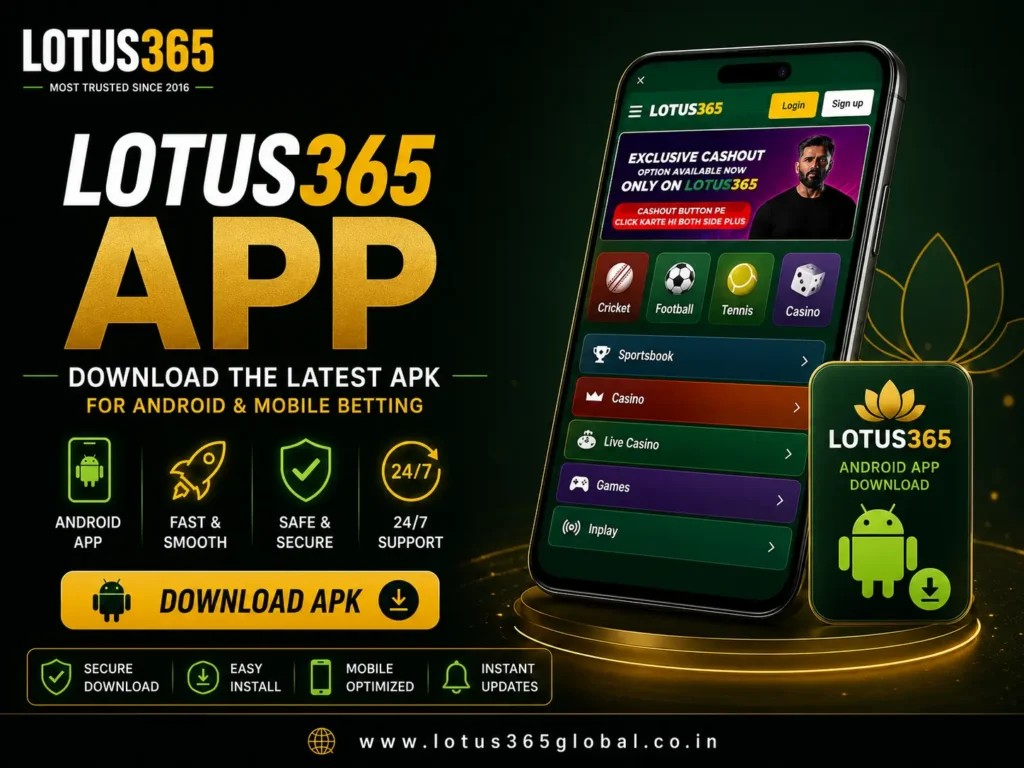
Lotus365 App – Download the Latest APK for Android & Mobile Betting

The Lotus365 App is a mobile-first sports betting and online casino application built for Indian users who follow cricket, IPL markets, live sports, and casino games. Available as an Android APK for direct download, the app provides access to the sportsbook and casino through a single Lotus365 ID. Navigation, live odds, and account tools are designed to function on smaller screens, supporting users who follow matches away from a desktop. iPhone and desktop users can access the same platform through a browser.

🏏 Cricket & IPL Betting | ⚡ Live Betting Markets | 📱 Android APK Download | 🔒 Secure OTP Login | 🎰 Sports & Casino in One Account

What is the Lotus365 App?

The Lotus365 App is the mobile version of the Lotus365 platform, combining a cricket-focused sportsbook with a full casino library in one application. It is built primarily for Android users and is installed directly as an APK file rather than through a standard app store. The sections below explain how the app functions, how it differs from the browser version, and who is most likely to find it useful.

📱

Mobile Betting Platform

The app is structured around mobile use, presenting cricket and IPL markets prominently in a layout suited to smartphone screens. Account functions such as deposits, withdrawals, and balance management are all accessible within the same application, reducing the steps required to move between products.


📦

Android APK Overview

The Lotus365 Android App is distributed as an APK file, downloaded and installed directly from the official Lotus365 app page. Because the file is installed outside the standard app store, your device may require permission to install from an external source. Downloading the APK only from official platform resources confirms you are installing the correct file.

🌐

Browser vs App Experience

The Lotus365 platform is accessible through both a dedicated Android app and a mobile browser. The app provides single-account access to the sportsbook and casino once installed, while the browser version offers comparable access without a download. Desktop users can also access the full platform through a web browser.

👤

Who Should Use the App?

The app is most suited to Android smartphone users who want quick access to cricket markets, live betting, and casino games. iPhone users and those who prefer not to download a file can use the browser version instead. The comparison table below helps you select the option that matches your device and preferences.

App vs Mobile Browser Comparison

Feature Lotus365 App (APK) Mobile Browser
Installation required Yes, Android APK download No download needed
Supported devices Android smartphones Android and iOS
Account access Single Lotus365 ID Single Lotus365 ID
Sports & casino access Full access Full access
Updates Manual APK update Automatic via browser
Best for Frequent mobile users on Android iPhone users and quick access
Download Lotus365 App

Key Features of the Lotus365 App

The app brings several functions together within a single application. The points below describe each main feature and what it offers in practice.

Mobile-Friendly Navigation

Navigation is organised so that primary sections remain reachable from the main menu on smaller screens. Sports markets, the casino library, and account tools are grouped logically, allowing you to move between products with minimal steps. The layout is structured to remain readable on a smartphone, supporting users who follow matches while away from a desktop.

Fast Sports Market Access

Sports markets are grouped by sport and tournament, allowing you to locate fixtures without searching through unrelated content. Cricket is positioned as the primary market, with football, tennis, kabaddi, basketball, and esports available in their own sections. This organisation reduces the time required to find a specific match and review its available markets.

Live Cricket & IPL Betting

Live betting allows you to place wagers while a match is already in progress. As conditions on the field change, odds update in real time, creating new opportunities throughout an innings or session. This feature is particularly relevant during cricket and IPL fixtures, where momentum can shift quickly between overs.

Casino Games on Mobile

The casino section is accessible through the same application used for sports betting. Games are grouped by category, covering Teen Patti, Andar Bahar, Blackjack, Roulette, Baccarat, Aviator, live dealer titles, and slots. The casino library is organised so that card games, table games, live dealer games, and instant games appear in clear groups.

Unified Lotus365 ID

The Lotus365 ID is a single account identifier that grants access to both the sportsbook and the casino. Rather than maintaining separate accounts for different products, you use one ID to place sports wagers, play casino games, and manage your balance. This structure keeps account management straightforward and reduces the number of logins required.

Secure Account Login

Account access is managed through a combination of credentials and verification steps. Login requires your registered mobile number or username together with your password, and a one-time password (OTP) may be requested as an additional security measure. Identity verification is recommended before a first withdrawal to confirm that account details match the registered user.

How to Download the Lotus365 App

Downloading the Lotus365 App follows a short, sequential process. Complete the steps below to download and install the APK on your Android device.

  1. Open the official Lotus365 app page in your mobile browser.
  2. Select the download option to begin downloading the APK file.
  3. Wait for the file to finish downloading to your device.
  4. Open the downloaded file and confirm any permissions your device requests.
  5. Complete the installation and open the app to log in or register.

Before Downloading Checklist

  • Confirm you are on the official Lotus365 app page.
  • Check that your device has sufficient storage for the file.
  • Ensure you have a stable internet connection.
  • Keep your registered mobile number ready for login.
  • Review the responsible gaming guidance before you begin.

How to Install the Lotus365 APK Safely

Installing an APK file involves a few additional steps compared with an app store download, because the file is installed from an external source. The sections below explain what to prepare, how the installation proceeds, and the permissions and security considerations attached to the process.

📋

Before Installing

Confirm that the APK was downloaded from the official Lotus365 app page rather than a third-party source. Check that your device has enough available storage to complete the installation. Close any unnecessary applications to allow the process to run without interruption.

⚙️

Installation Process

Open the downloaded APK file from your device's downloads folder or notification bar. Your device may prompt you to permit installation from an unknown source, which is required because the file is not from the standard app store. Confirm the permission, then follow the on-screen prompts to complete the installation.

🔔

Common Permission Requests

During installation, the app may request permissions related to storage and notifications. Storage access allows the app to install and update correctly, while notification access supports match and account alerts. Review each permission before granting it, and only allow access that relates to the app's stated functions.

🔒

Security Recommendations

Download the APK only from the official Lotus365 app page to confirm you are installing the correct file. Keep your login credentials private, and do not share your password or OTP with anyone. Complete account verification before requesting a withdrawal to reduce the likelihood of delays.

Safety Checklist

Device Compatibility

The Lotus365 platform is designed to function across a range of devices, with the dedicated app built for Android and browser access available for other devices. The sections below describe access by device type, followed by a compatibility table for quick reference.

🤖

Android Devices

Android smartphones support the dedicated Lotus365 App through the APK download. Once installed, the app provides single-account access to the sportsbook and casino, with navigation and live odds optimised for smaller screens. Android remains the primary device type for which the app is built.

🍎

iPhone & iOS

The dedicated app is not installed on iOS devices in the same way as on Android. iPhone and iPad users access the platform through a mobile browser, which provides comparable access to sports markets, casino games, and account tools without requiring a download.

🌐

Mobile Browser Access

The mobile browser version offers access to the platform on most modern smartphones, covering both Android and iOS. Navigation, live odds, and account functions are designed to remain responsive within the browser, making this option suitable for users who prefer not to install an application.

🖥️

Desktop Access

Desktop and laptop users can access the full platform through a standard web browser. The larger screen displays sportsbook markets, casino games, and account management tools without requiring installation, providing an alternative for users who prefer a desktop environment.

Device Compatibility Table

Device App Available Browser Access Recommended Option
Android smartphone Yes (APK) Yes Lotus365 App
iPhone / iPad No Yes Mobile browser
Other mobile devices No Yes Mobile browser
Desktop / laptop No Yes Web browser
Download Lotus365 App

Sports Betting & Casino on the App

The app combines a cricket-focused sportsbook with a full casino library, both accessible through the same account. The sections below describe the main betting and casino options available through the application.

Cricket & IPL Betting

Cricket is the central focus of the sportsbook, with markets covering international fixtures, domestic tournaments, and the IPL across T20, ODI, and Test formats. Match markets are grouped by tournament, making it straightforward to find a specific fixture. During the IPL season, the app provides dedicated markets for individual matches and tournament outcomes.

Live Sports Betting

Live betting is available across multiple sports, allowing you to place wagers while events are in progress. As conditions change, odds update in real time, creating new opportunities throughout a match. The sports betting section organises live markets so that in-play options remain accessible during a fixture.

Teen Patti & Casino Games

The casino section includes card games, table games, live dealer titles, and instant games. Teen Patti and Andar Bahar are presented in formats familiar to users who play them socially, while Blackjack, Roulette, and Baccarat follow standard rules. Live casino games are hosted by real dealers and streamed in real time, replicating the experience of a physical casino through a screen.

One Account for Sports & Casino

The app combines sportsbook and casino products within a single account ecosystem. You can switch between sports betting and casino games using the same Lotus365 ID, without managing separate balances or logins. This structure keeps account management simple and reduces the steps required to move between products.

Lotus365 Login on the App

Logging in on the app follows the same structured process as the wider platform, using your credentials and OTP verification where applicable. The sections below explain how to log in, verify your identity, recover a password, and protect your account.

Login with Lotus365 ID

To log in, open the app and enter your registered mobile number or username together with your password. Once your credentials are confirmed, you are directed to your account dashboard, where the sportsbook, casino, and account tools are accessible. The Lotus365 login process uses the same details across the app and browser versions.

OTP Verification

An OTP may be requested as an additional security step during login. The one-time password is sent to your registered mobile number and entered within the app to confirm your identity. This step helps confirm that the person logging in is the registered account holder.

Forgot Password

If you forget your password, the recovery process uses OTP verification to confirm your identity. Select the forgot password option, enter your registered mobile number, verify the OTP, and set a new password. This process restores access without requiring contact with support in most cases.

Secure Login Tips

Keep your password and OTP private, and do not share them with anyone, including support staff. Use a password that is not reused across other accounts, and log out on shared devices. Completing identity verification in advance supports a smoother experience when you request a withdrawal.

Common App Issues & Solutions

A small number of issues may arise during download, installation, or use of the app. The sections below describe each common issue and the steps that typically resolve it, followed by a troubleshooting table for quick reference.

📦

APK Not Installing

If the APK does not install, confirm that your device permits installation from an external source. Check that the file finished downloading completely and that your device has sufficient storage available. Re-downloading the file from the official app page can resolve issues caused by an incomplete download.

🚫

App Not Opening

If the app does not open after installation, close it fully and reopen it. Restarting the device can clear temporary issues that prevent the app from launching. Confirming that the installation completed correctly may also resolve the problem.

🔑

Login Problems

Login problems may arise from incorrect credentials, an unverified number, or a pending OTP. Confirm that your registered details are entered correctly and complete any OTP verification requested. If access is not restored, the support team can confirm your account details.

OTP Delays

OTP delays occur when the one-time password does not arrive promptly. Confirm that the number on file is correct and that your device has network coverage. Requesting a new OTP after a short wait usually allows verification to complete. See our OTP issues guide for more detail.

🐢

Slow Performance

Slow performance may result from a weak internet connection or limited device resources. Connecting to a stable network and closing background applications can improve responsiveness. Clearing the app's cache may also help where performance remains affected.

🔄

App Update Issues

Because the app is installed as an APK, updates are applied manually rather than automatically. If an update issue arises, download the latest version from the official app page and install it over the existing version. This keeps the app current with the most recent release.

Troubleshooting Quick Reference

Issue Likely Cause Recommended Action
APK not installing Permission or storage Allow external installation; free up storage
App not opening Temporary error Restart the app and device
Login problems Incorrect details or OTP Re-enter credentials; complete OTP
OTP delays Network or wrong number Confirm number; request a new OTP
Slow performance Connection or resources Use a stable network; close background apps
Update issues Manual APK updates Download and install the latest version
For unresolved issues, the support team is available through WhatsApp, email, and live chat. Detailed payment queries are best sent through the contact channels with supporting information.

Tips for Using the Lotus365 App Securely

Account safety depends on a combination of platform measures and the steps you take to protect your own account. The sections below describe practical measures for safer use of the app.

Download Only from Official Sources

Download the APK only from the official Lotus365 app page to confirm you are installing the correct file. Avoid third-party download sources, which may distribute modified or incorrect files. Verifying the source before installation reduces the risk of installing an unintended application.

Protect Your Login Credentials

Keep your password and OTP private, and do not share them with anyone. No member of the support team will request your password or full OTP. Using a unique password and logging out on shared devices further protects access to your account.

Complete Account Verification

Account verification, often referred to as KYC, confirms your identity using valid documents. Completing verification before your first withdrawal helps confirm that your account details match your identity and supports a smoother withdrawal process. Completing this step in advance helps avoid delays.

Keep the App Updated

Because updates are applied manually, download and install the latest version from the official page when a new release is available. Keeping the app updated ensures access to the most recent features and fixes. Reviewing the official page periodically helps confirm you are using the current version.

Mobile security checklist:

For payment-related security guidance, review the payments information and the responsible gaming resources.

Frequently Asked Questions

The Lotus365 App is a mobile platform that allows users to access sports betting, IPL betting, live betting markets, and online casino games from compatible devices. It provides a mobile-friendly experience with the same Lotus365 ID used across the platform, making it convenient to manage your account, explore betting markets, and access casino games while on the move.

To download the Lotus365 App, visit the official Lotus365 app page and download the latest Android APK. Once the download is complete, enable installation from trusted sources on your Android device (if required), install the APK, and log in using your registered Lotus365 ID.

The Lotus365 App is available as an Android APK for compatible Android devices. Users with iPhones or other iOS devices can access Lotus365 through a mobile web browser, which offers access to the platform without requiring an app installation.

Yes. The Lotus365 App can be downloaded without any download fee. Users simply need a compatible device, a stable internet connection, and a registered Lotus365 account to access the platform’s features.

Yes. A single Lotus365 ID can be used across supported devices, including the Android app, mobile browser, and desktop browser. This allows users to access the same account, wallet, and platform features without creating separate accounts.

If the APK does not install successfully, confirm that you downloaded the latest version from the official source, check that your device has sufficient storage space, and ensure that installation from trusted sources is enabled if required. Restarting your device or downloading the APK again may also help resolve installation issues.

For better account security, download the app only from official Lotus365 sources, use a strong password, never share your OTP or login credentials, keep the app updated to the latest version, and complete account verification when required. These steps help protect your account and reduce the risk of unauthorized access.

If you experience issues while downloading, installing, logging in, or using the Lotus365 App, you can contact the Lotus365 customer support team through WhatsApp, email, or live chat (where available). Providing your registered mobile number, Lotus365 ID, and a clear description of the issue can help the support team assist you more efficiently.

Start Using the Lotus365 App

The Lotus365 App brings cricket betting, IPL markets, live sports, and online casino games together within a single Android application, with browser access available for iPhone and desktop users. Whether you are downloading the app for the first time, creating an account, or logging in to an existing Lotus365 ID, you can begin from the options below. Before getting started, review the available features, payment options, and responsible gaming guidance to make informed decisions while using the platform.

Last updated: June 2026. Lotus365 is intended for users aged 18 and over. Betting and casino play involve financial risk, and outcomes cannot be predicted or guaranteed. Treat betting as a form of entertainment rather than a source of income, set personal deposit and time limits, and never wager more than you can afford to lose. Be aware of the laws that apply to online betting in your state before participating. For guidance on safer participation, refer to the responsible gaming resources.

Scroll to Top